Boston Logan Airport Wi-Fi: How to Connect and What to Do if It Fails

In short
Boston Logan Airport Wi-Fi is free in the airport terminals, and Massport identifies the official network as BOSWifi as of October 1, 2026. Turn on Wi-Fi, select that exact name, and complete the sign-on screen if one appears. If it fails, reconnect, trigger the portal in a browser, or use mobile data for urgent tasks.
Key takeaways
- Massport lists free Wi-Fi across Boston Logan’s terminals and identifies the official network as
BOSWifi. - Selecting a Wi-Fi network is not always enough: a browser sign-on page may need to load before internet access works.
- Forgetting and reconnecting to
BOSWifioften clears a stale connection or missed terms screen. - Airport Wi-Fi is useful inside the terminal, while mobile data is more useful for rideshare, transit, maps, and messages after you leave.
- eSIM Trading sells data-only travel eSIMs, so they do not provide a U.S. phone number, voice calls, SMS, or SMS one-time passcodes.
Contents
- How to connect to Wi-Fi at Logan Airport?
- What should you do if BOSWifi is not working?
- When should you use mobile data instead?
- How can you use airport Wi-Fi more safely?
- Frequently asked questions about Boston Logan Wi-Fi
- What should you do before you land at Logan?
For a short layover, free Wi-Fi may be all you need. For an arrival into Boston, the useful question is different: will you still have data after the terminal doors close behind you?
How to connect to Wi-Fi at Logan Airport?
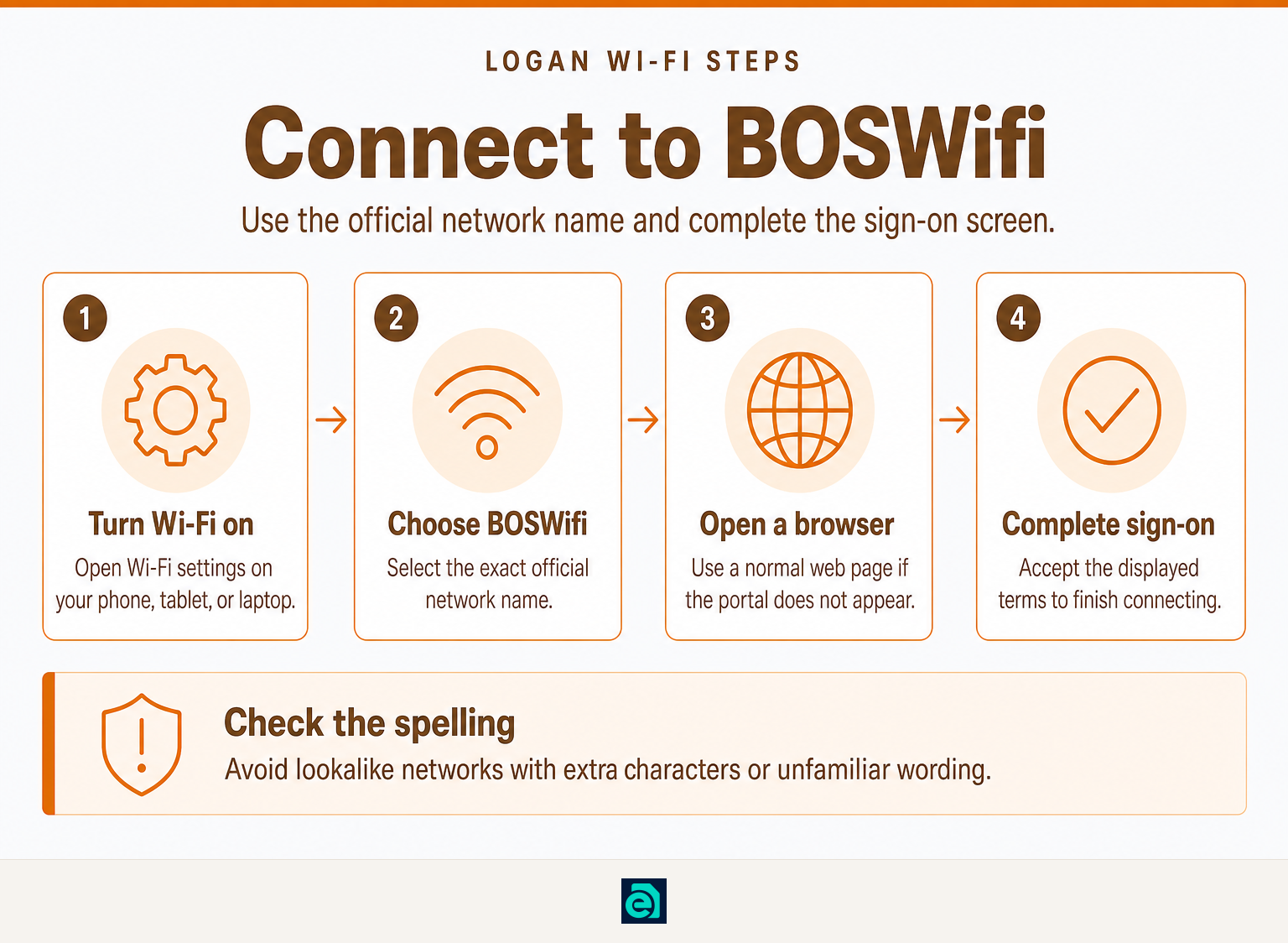
Massport, the airport operator, says Boston Logan has free Wi-Fi in its terminals and identifies the network as BOSWifi on its official passenger-services page. Use the exact network name, then complete any sign-on or terms screen your device shows.
- Open Settings and turn on Wi-Fi.
- Select
BOSWififrom the available networks. - Wait briefly for a sign-on page to open automatically.
- If the page appears, read and accept the displayed terms to finish connecting.
- If nothing appears, open a browser and try loading a normal web page. This can prompt the sign-on screen to appear.
Do not join a similarly named network with extra characters or unfamiliar wording. On a busy airport network, your device can show strong Wi-Fi signal while the sign-on page or internet connection is still unavailable.
At Boston Logan, the quickest path is to select BOSWifi, complete the sign-on screen, and test the connection in a browser before relying on it.
What should you do if BOSWifi is not working?
If BOSWifi connects but apps do not load, start by forcing a fresh connection rather than repeatedly refreshing the same screen. The most common issue is a captive portal that did not open, not a permanent problem with your phone or laptop.
Try these checks in order:
- Turn Wi-Fi off, wait a few seconds, then turn it back on.
- In Wi-Fi settings, choose
BOSWifi, select Forget This Network, and reconnect. - Open a browser and load a simple website to trigger the sign-on page.
- Temporarily pause a VPN, private relay, or restrictive DNS setting if you use one, then reconnect and re-enable it after the portal is complete.
- Move to another seating or gate area if the connection still stalls.
- If you need help quickly, ask an airport information desk or staff member to confirm the current network name and access process.
If you need a ride, map, boarding update, or a time-sensitive message, switch to cellular data rather than spending your remaining battery troubleshooting a crowded public network.
A Wi-Fi symbol confirms that your device sees the network; it does not guarantee that the sign-on page or internet connection is working.
When should you use mobile data instead?
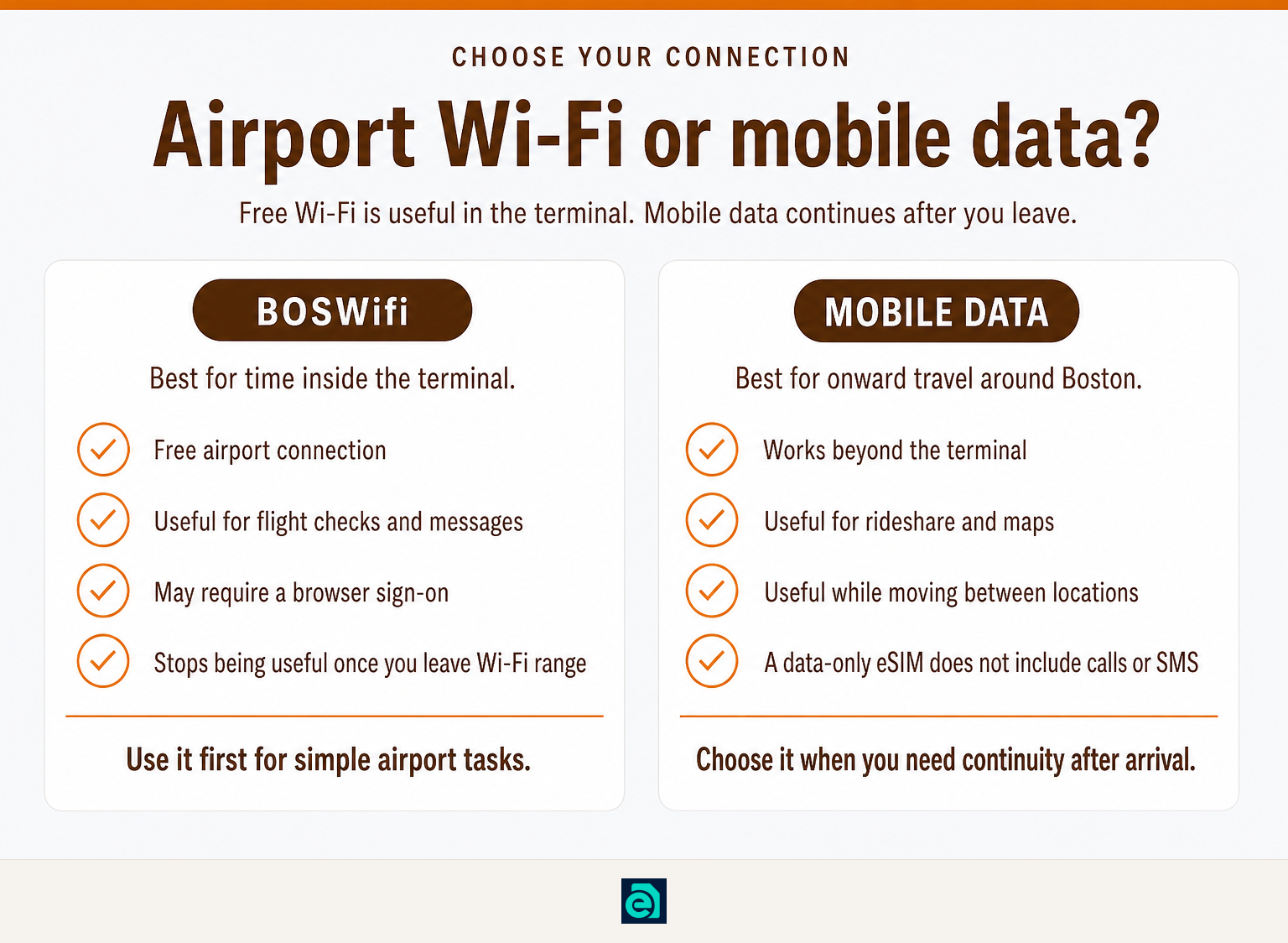
Use free BOSWifi for low-stakes tasks inside the terminal, such as checking a flight, messaging someone, or downloading directions before you leave. Use mobile data when you need a connection that continues through baggage claim, curbside pickup, the airport shuttle, transit, and the rest of your stay in the United States.
Mobile data is particularly useful when you need to:
- request a rideshare after leaving the terminal;
- use live maps while traveling into Boston;
- send messages while moving between locations;
- keep access to travel apps when public Wi-Fi is unavailable or overloaded.
If you only need airport access, use the free network first. If you need data beyond Logan, our travel-data connectivity options include prepaid plans designed for use in the United States. A United States travel eSIM can provide mobile data without buying a physical SIM after landing.
Check device compatibility and setup before traveling. eSIM Trading plans are data-only, which means they are not a replacement for a phone number, conventional calls, SMS, or SMS verification codes. Before purchasing, review the current purchase terms.
Free airport Wi-Fi solves an airport problem; mobile data solves the wider travel problem of staying connected after you leave the airport.
How can you use airport Wi-Fi more safely?
Public Wi-Fi is convenient, but use the exact network name and treat unexpected prompts carefully. The U.S. Federal Trade Commission says that most websites now use encryption, and travelers should look for https or a lock icon before entering sensitive information on a website.
Use these simple precautions:
- Join
BOSWifi, not a lookalike network. - Avoid entering sensitive financial details into an unfamiliar sign-on page.
- Check that websites use
https, especially before signing in. - Turn off automatic joining for public networks when you no longer need them.
- Use mobile data for sensitive or urgent tasks if you have it available.
The FTC’s public Wi-Fi safety guidance is a useful reminder that an encrypted website protects the connection to that website, but it does not make an unfamiliar or fraudulent website trustworthy.
The safest airport Wi-Fi habit is simple: verify the network name, use encrypted websites, and save sensitive tasks for a connection you trust.
Frequently asked questions about Boston Logan Wi-Fi
How to connect to Wi-Fi at Logan Airport?
At Boston Logan, turn on Wi-Fi, choose BOSWifi, and complete any sign-on page or terms screen that opens. If the page does not appear, open a browser and load a normal web page. The exact network name matters, so avoid similarly named networks that may not be official.
How do I connect to Wi-Fi at the airport?
To connect to airport Wi-Fi, open your device’s Wi-Fi settings, choose the official network name shown by the airport, and follow the sign-on instructions. A browser page may ask you to accept terms before internet access works. Test the connection by opening a website after joining.
How to connect to free WiFi on airport?
Connect to free airport Wi-Fi by selecting the official network, then completing any required browser sign-on page. At Boston Logan, Massport identifies the network as BOSWifi. If the browser page does not load, forget the network, reconnect, and try opening a website to prompt the page.
How much does Wi-Fi cost in Boston?
Wi-Fi at Boston Logan Airport is free, according to Massport. This answer applies to Boston Logan Airport, not every Wi-Fi service in Boston, where prices and access rules are set by each venue or provider. Check the venue’s own network instructions before connecting.
What should you do before you land at Logan?
Save your hotel address, airline details, and any important travel documents for offline access before arrival. Then use BOSWifi if it works, but keep a mobile-data backup in mind if you need connectivity after leaving the terminal.
If you have already purchased an eSIM Trading plan and need installation or delivery help, use our support contact page before relying on it during an onward journey.
Ready to travel without roaming bills?
Instant eSIM data plans for 148 countries — delivered as a QR code in under a minute. No account, no contract.
Browse destinations